
How to Color in Corel Painter
By Leila · Creative Director · Game Designer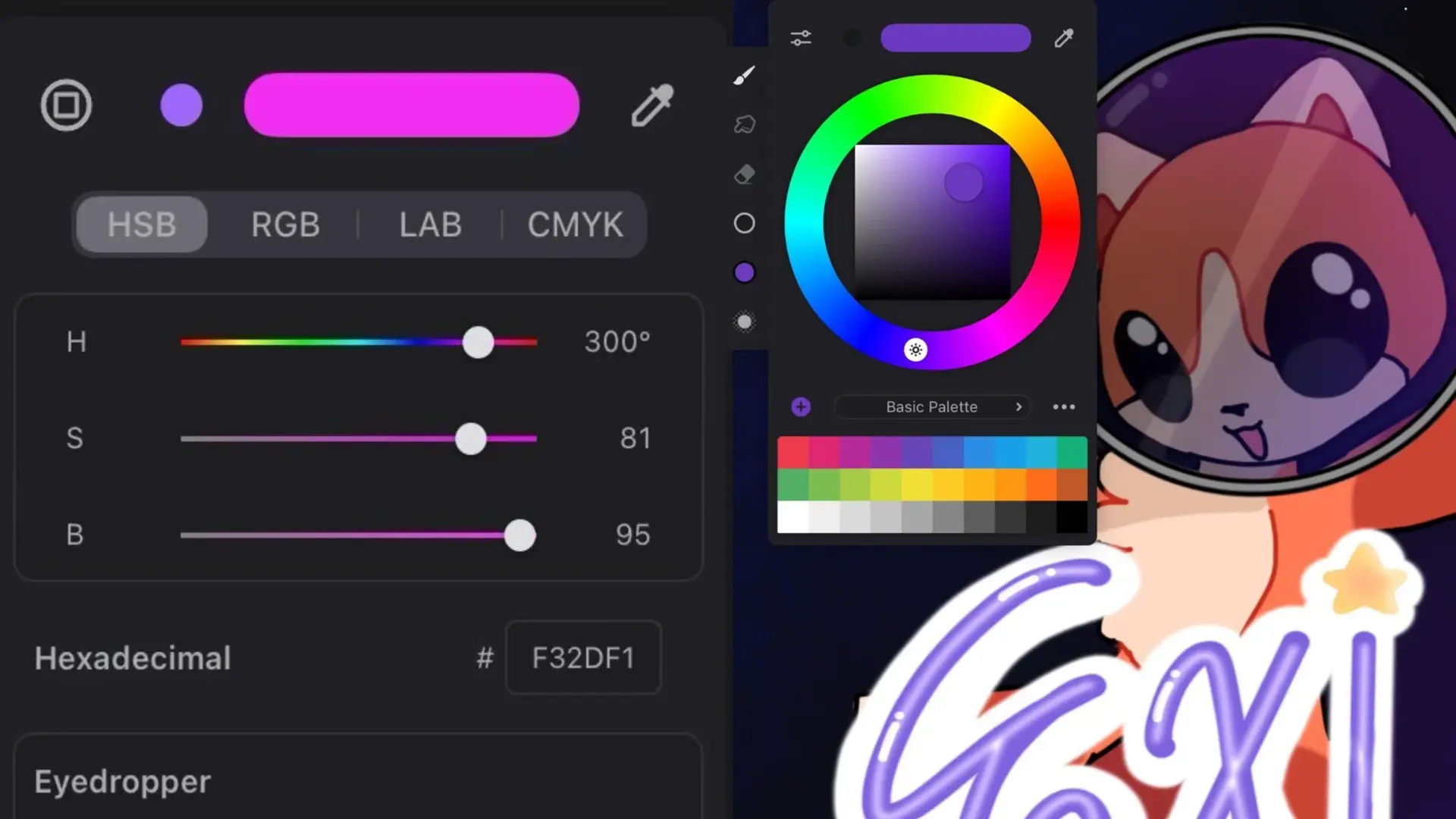
If you’re new to Corel Painter, the colour picker is the first thing worth learning to drive properly — every other tool depends on it. This is the short tour I wish I’d had when I started.
For the iPad-side equivalent, see How to Color in Procreate.
Where can I find the colour palette?
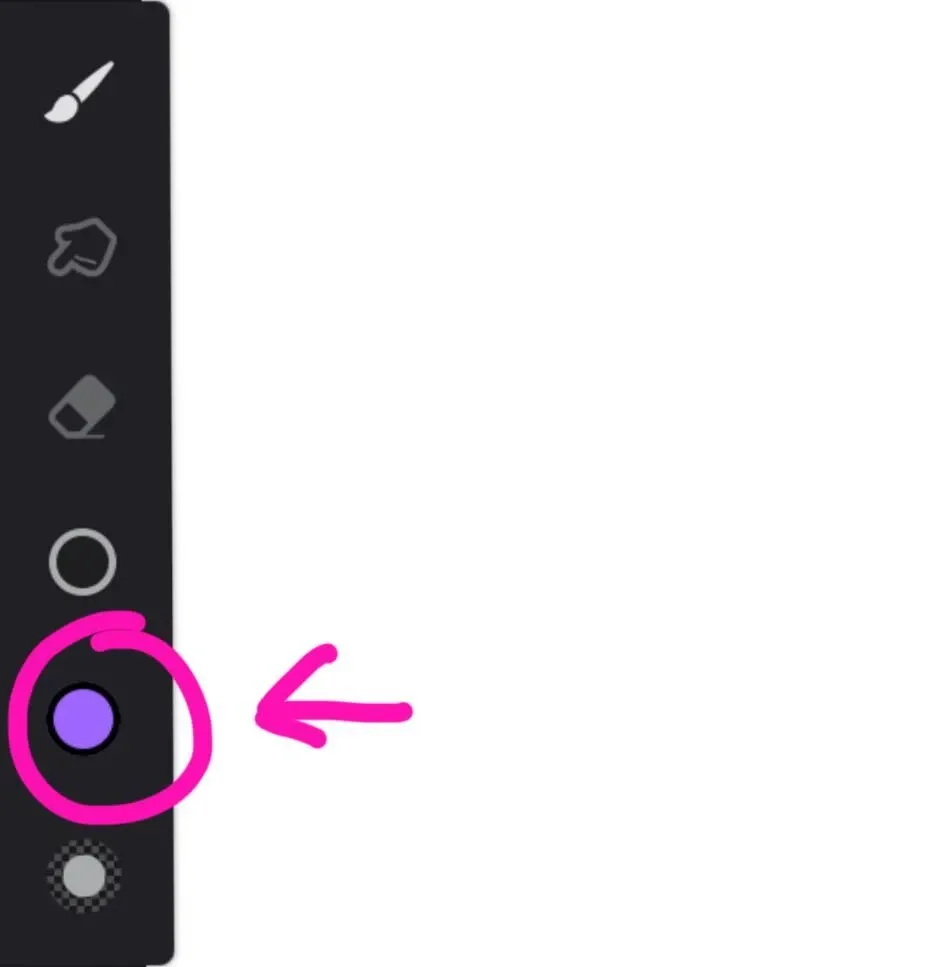
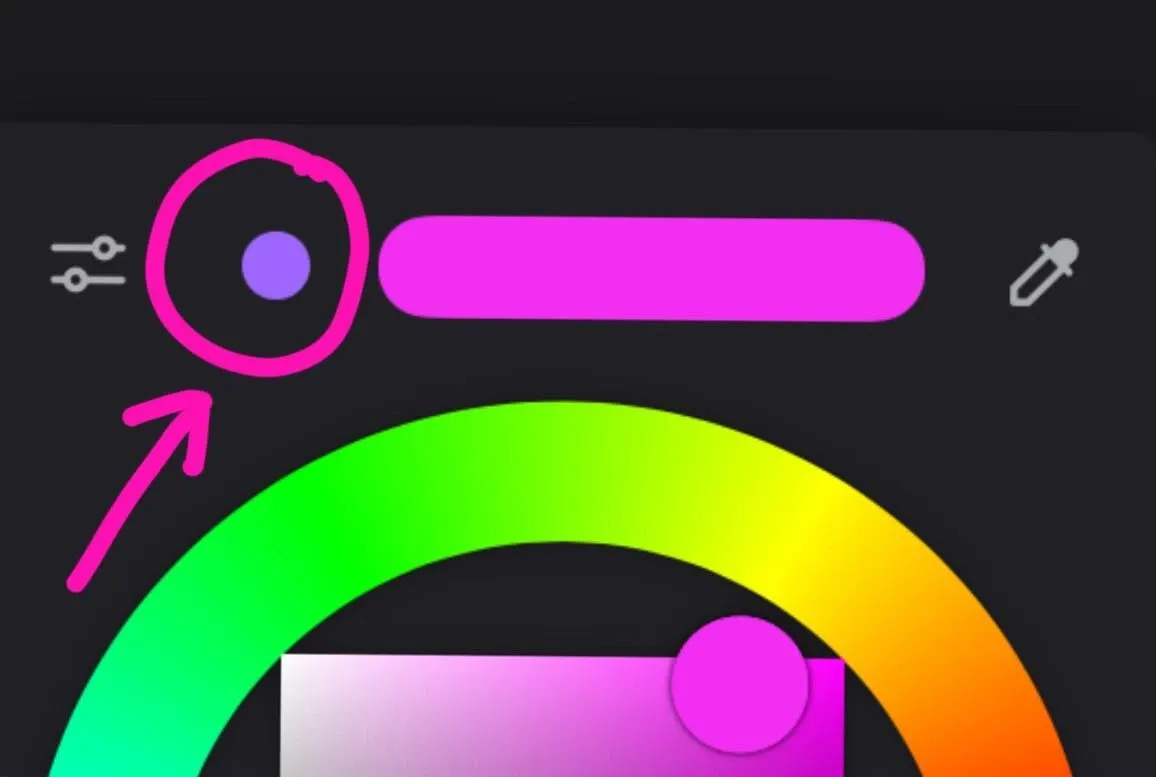
To open the colour palette, click on the circle with the colour.
When you click on the circle with your colour, a colour palette will appear. And you can change the colour.
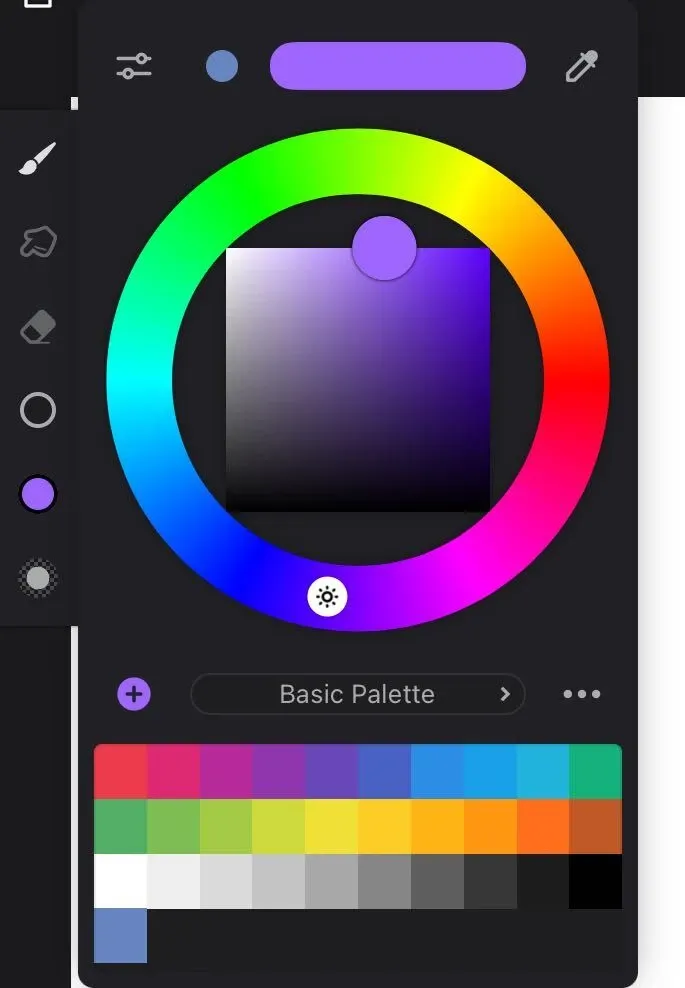
If you click on the small circle next to your set colour, your colour will change to the previous colour.
Are there any other palettes?
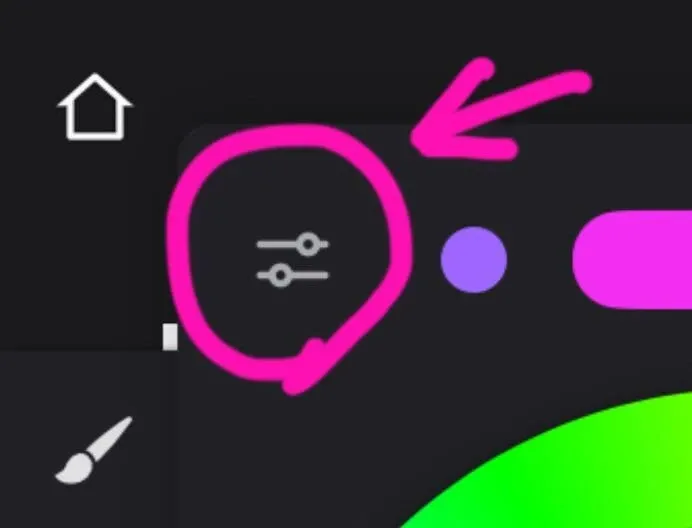
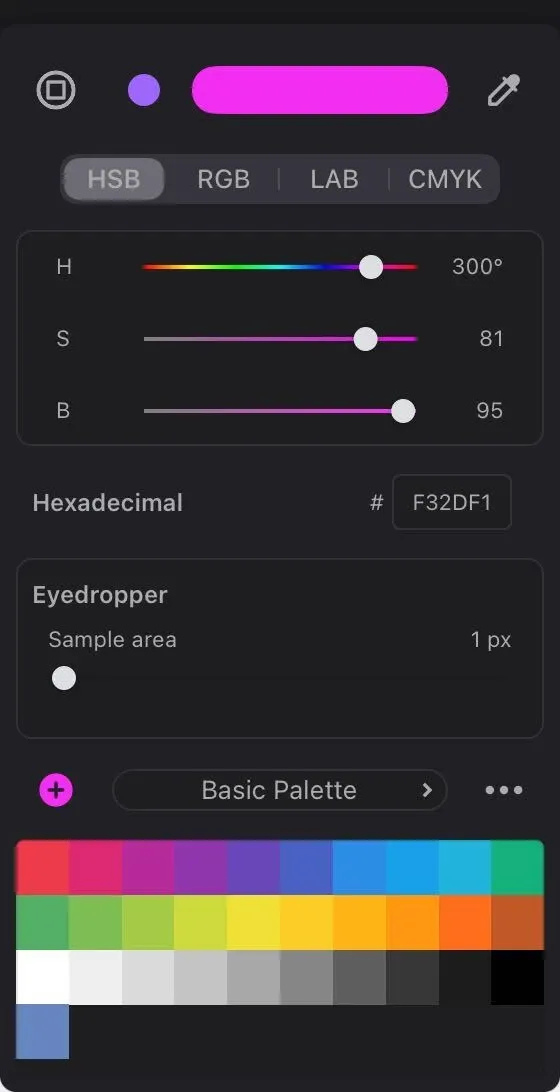
If you click on the button with two lines, you will see a more detailed colour-matching palette.
Where can I find the eyedropper?
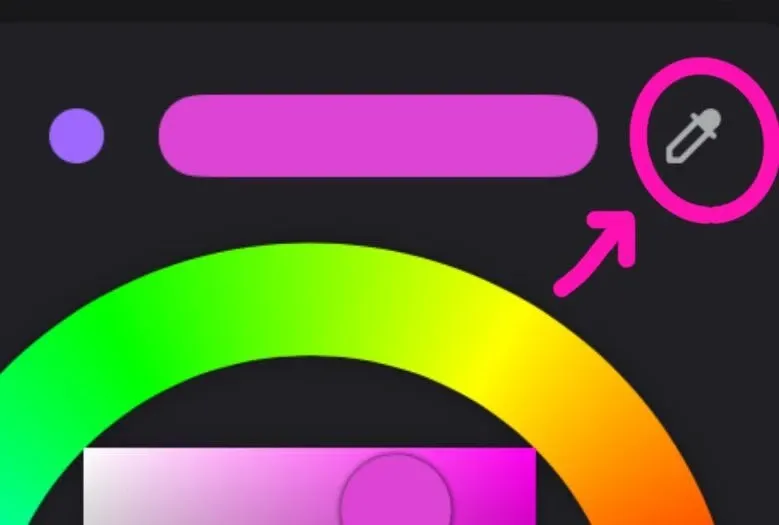
If you click on the little eyedropper icon in the top right corner of the colour picker, you can pick any colour from your canvas.
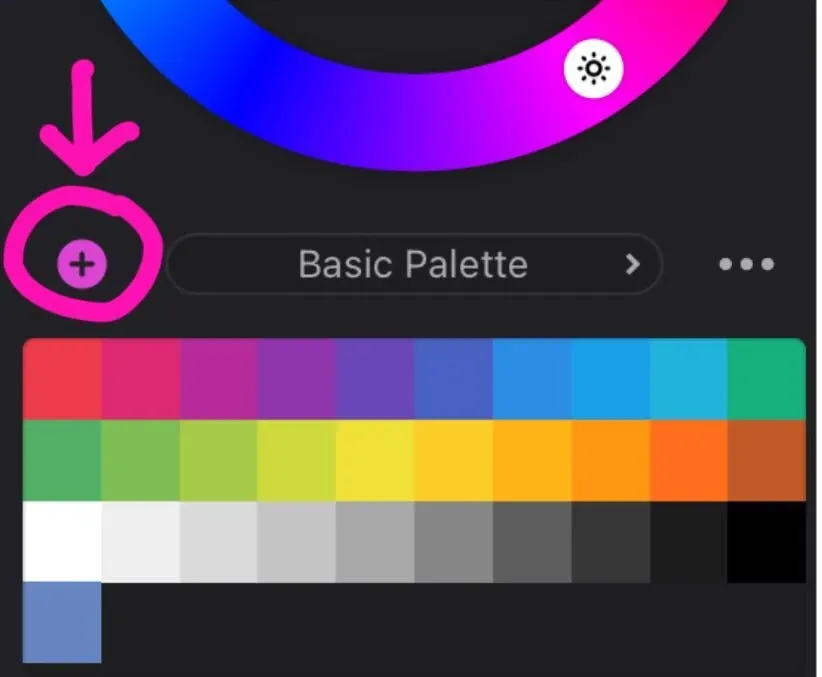
How to add colour to my palette?
If you click on the small plus above your set palette, then this colour will be added to the palette.
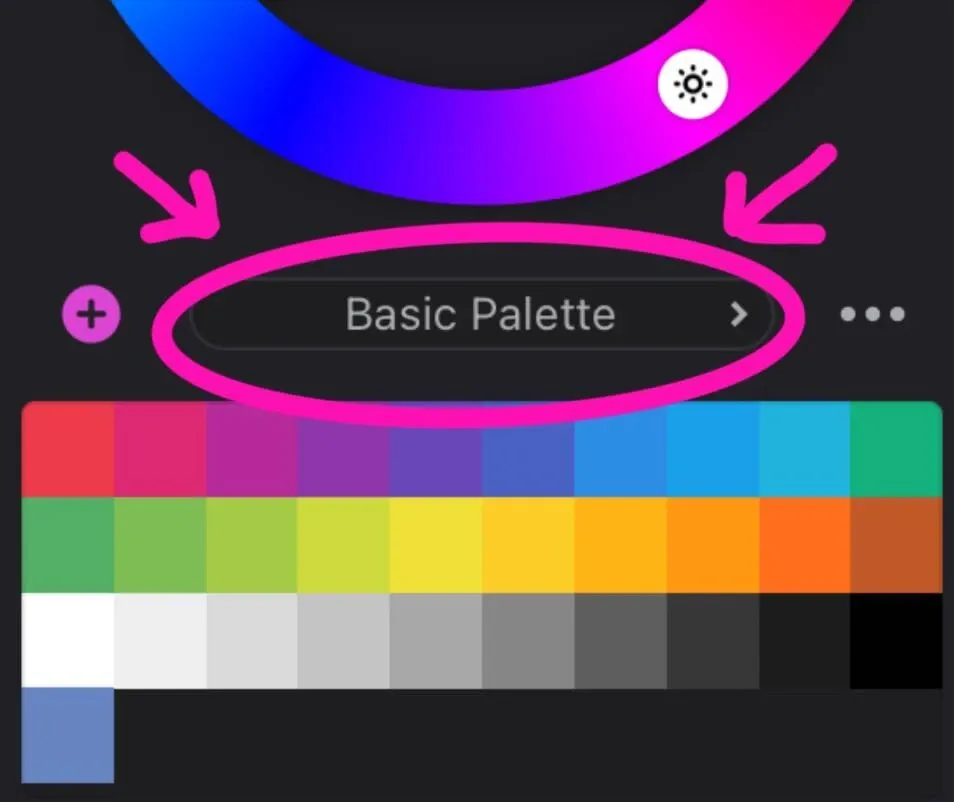
How can I change my palette or create a new one?
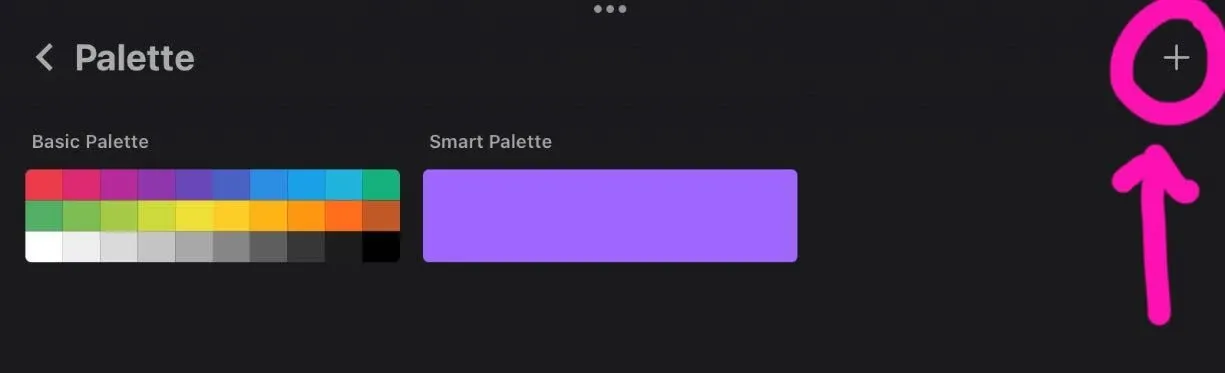
To set a new palette, click on the name of your palette or on the Basic Palette. After that, you will see your palettes.
To create a new palette, click on the plus sign in the upper right corner. You can create a palette from your photos or files.
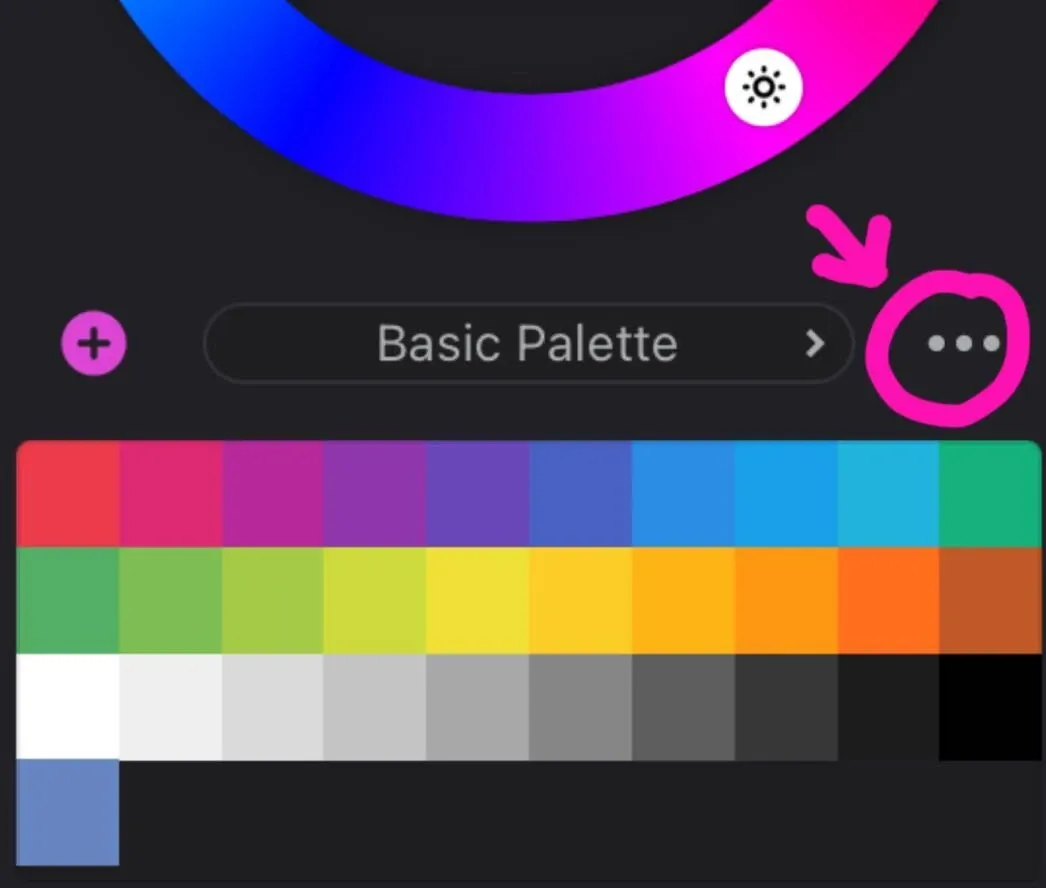
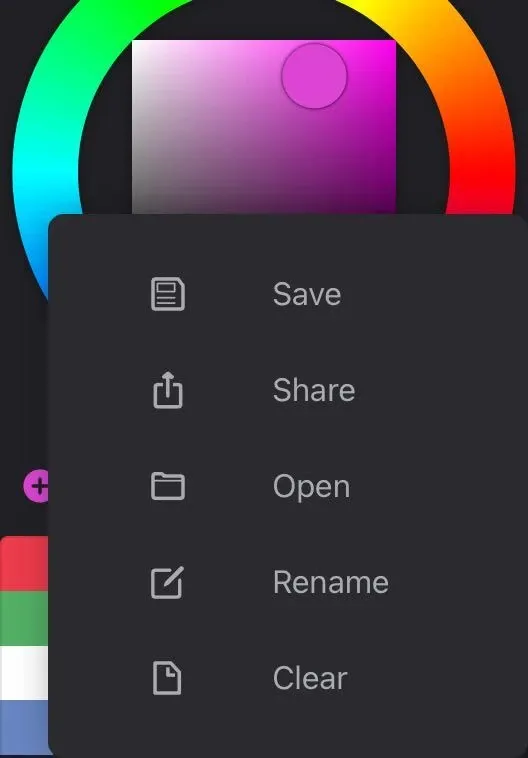
How can I save, share, rename, open or clear my palette?
To find these functions you need to click on the three dots above your palette.
Related Posts
- 1 Maya Basics — a Five-Minute TourCookbook · A short tour of the Autodesk Maya interface — workspace, viewport navigation, primitive shapes, modeling tools, and the channel box. For first-timers.
- 2 How to Add a 2D Collider to Sprites in UnityCookbook · How to add and adjust a 2D collider on a sprite in Unity so it can actually collide with the world. The Inspector flow, in five clicks.
- 3 How to Get Rid of Sticky Walls in UnityCookbook · The quick fix for characters sticking to walls in 2D Unity — create a Physics Material 2D with zero friction and apply it to your player's Rigidbody 2D.
- 4 How to Add an Icon for a Game in UnityCookbook · The shortest path to setting a game icon in Unity — File → Build Settings → Player Settings — plus fixes for the two mini-problems you'll run into.
Random Posts
- 1 How to Create a Unique Game Aesthetic: Color Theory and Art DirectionGame Development · Photorealism is overrated. A three-color signature, applied everywhere, makes your game recognizable at a glance, and it costs nothing but discipline.
- 2 Maya Basics — a Five-Minute TourCookbook · A short tour of the Autodesk Maya interface — workspace, viewport navigation, primitive shapes, modeling tools, and the channel box. For first-timers.
- 3 How to Get Rid of Sticky Walls in UnityCookbook · The quick fix for characters sticking to walls in 2D Unity — create a Physics Material 2D with zero friction and apply it to your player's Rigidbody 2D.
- 4 Docker for Solo Game Developers: Stop Being Tech Support for Your Own PCGame Development · Unity, Blender and a test server on one machine will break each other eventually. Containers keep every project's setup in its own box, so your computer stays clean.